

Tugboat T12000 Not Working? 11 Proven Fixes for Dubai and the UAE

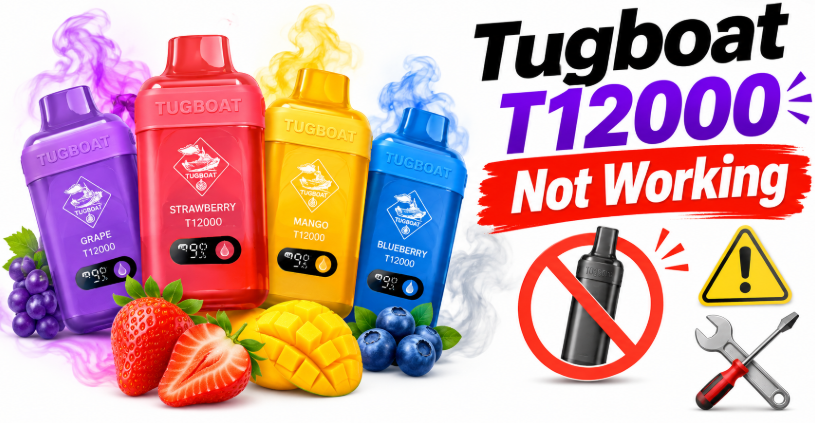
Tugboat T12000 not working? In most cases the device is not broken. The usual causes are a depleted battery, a poor Type-C charging connection, a blocked air path, heat exposure, or the device being used in the wrong way. Start by charging it for 30 to 40 minutes with a known-good Type-C cable, wipe the mouthpiece and the charging port, let the device rest at room temperature, and then take a slow, steady draw. If it still fails, work through the fixes below. If it fails every test, the unit may be faulty or counterfeit, and you should contact the seller.
Shop Tugboat T12000 Disposable Vape in UAE →
Why Is My Tugboat T12000 Not Working?
The most common reasons a Tugboat T12000 stops working are:
- The battery is flat. The T12000 is rechargeable, but the battery still runs down well before the e-liquid does.
- The charging connection is poor. A loose cable, a dirty port, or a weak power source stops the device from charging.
- The airflow is blocked. Lint, condensation or e-liquid residue at the mouthpiece or air inlet can stop the draw from registering.
- The device overheated. Heat in a car or in direct sun can trigger protection or thin the e-liquid, so the device cuts out or leaks.
- The coil is flooded or dry. Too many fast, repeated puffs can dry the coil, while a tipped-over device can flood it.
- The unit is faulty or fake. A small share of devices arrive defective, and counterfeit units fail far more often.
The sections below give a clear fix for each one.
Tugboat T12000 at a Glance
Knowing what the device is built to do helps you tell normal behavior from a real fault. These details come from the product page on Tugboat Shop.
| Feature | Detail |
|---|---|
| Puffs | Up to 12,000 (varies with usage) |
| Battery | 600mAh, rechargeable |
| Charging | USB Type-C |
| E-liquid | 24ml pre-filled salt nicotine, 50mg |
| Coil | Mesh coil, 1.0 ohm |
| Display | Shows battery and e-liquid level and the selected mode |
| Modes | Normal and Power, switched with the button |
| Setup | No refilling and no maintenance |
If your device behaves in a way that does not match this table, for example it cannot be charged or it shows no display at all, that is a strong sign something is wrong.
The 60-Second Checklist Before Anything Else
Run through this list first. It solves a large share of “not working” cases.
- Charge the device for at least 30 to 40 minutes.
- Use a different Type-C cable and a different power source, such as a wall adapter or a laptop port.
- Check that the cable is pushed in fully.
- Wipe the mouthpiece and the charging port with a dry cloth.
- Let the device sit at room temperature for 15 minutes.
- Hold it upright and take a slow draw of about 2 to 3 seconds.
- Check the display for the battery and liquid level.
If you did all of that and nothing changed, move to the problem-specific fixes.
How the Tugboat T12000 Works (And Why It Matters)
The T12000 has a battery, a mesh coil, a wick and a large e-liquid reservoir. When you inhale, an airflow sensor wakes the battery, the battery heats the coil, and the coil turns the e-liquid into vapor. A display on the front reports the battery level, the remaining liquid and the current mode.
This matters because every “not working” problem is a break somewhere in that chain:
- No power means the battery or the charging path has failed.
- No airflow detection means the sensor cannot sense the draw.
- No vapor means the coil is not heating or the wick is not supplying liquid.
- Bad taste means the coil is dry, burnt or flooded.
Once you know which link is broken, the repair is simple.

Fix 1: Tugboat T12000 Not Producing Vapor
This is the most common complaint. You inhale, the device may or may not light up, and little or no vapor comes out.
Likely causes: low battery, blocked airflow, a dry or flooded coil, or a slow-draw technique.
What to do:
- Charge the device fully. A near-empty battery often gives weak or no output.
- Take a slow, long draw for 2 to 3 seconds. Fast, short sips do not give the coil time to heat and do not feed the wick well.
- Wipe the mouthpiece clean. Condensation and dust can narrow the opening.
- Hold the device upright and take three or four gentle draws without pressing hard.
- Rest the device for 10 minutes. Constant chain use can outpace the wick, which leaves the coil short of liquid.
- Check the display. If it shows the e-liquid level as empty, the device has reached the end of its life.
If the display shows plenty of battery and liquid and there is still no vapor after all of this, the device may be faulty.
Fix 2: Tugboat T12000 Not Turning On or the Display Is Blank
If the screen stays dark and the device does not respond, the battery is almost always the reason.
Likely causes: battery fully discharged, charging fault, or a defective unit.
What to do:
- Plug the device in and leave it for 30 minutes. A fully drained battery sometimes needs a little time before the display lights.
- Try a different cable. Many cheap cables carry power but fail with small devices.
- Try a different charger or port. A weak USB port may not supply enough current.
- Press the button once and take a draw after charging, in case the display only wakes on activity.
- Check the charging port for dust or lint. Clean it gently with a dry wooden toothpick or a dry cloth. Never use metal tools or liquids.
If the display stays blank after a full charge on a good cable, the unit is likely defective. See the section on contacting support below.
Fix 3: Tugboat T12000 Not Charging
A device that will not charge is one of the most frustrating faults, but it is often easy to solve.
Likely causes: bad cable, dirty port, weak power source, or a protection lock caused by heat or deep discharge.
What to do:
- Swap the cable. This is the most common fix. Use a short, good-quality Type-C cable.
- Swap the power source. Test a wall adapter, a power bank and a computer port.
- Check the port. Shine a light into the charging port and look for lint. Remove it carefully with a wooden toothpick.
- Cool the device. If it feels warm, unplug it and let it return to room temperature before you charge it again.
- Reseat the connector. Unplug it, wait a minute, and plug it back in firmly.
- Be patient. A deeply drained battery can take several minutes before it shows any sign of charging.
Safety note: never charge a swollen, hot, damaged or wet device, and never leave a charging vape unattended overnight. Stop using any device that smells like burning or looks deformed.
Fix 4: Tugboat T12000 Blinking or Flashing
A blinking light or flashing display is the device telling you something. The exact pattern can differ between batches, so check any insert that came in the box, but these are the usual meanings.
| Signal | Usual meaning | Fix |
|---|---|---|
| Blinks when you inhale and no vapor | Low battery or protection cutoff | Charge fully |
| Blinks continuously | Connection, short circuit or protection mode | Rest the device, then charge it |
| Blinks while charging | Charging in progress or a fault | Try another cable and source |
| Blinks and then turns off | Battery too low to heat the coil | Charge for 30 minutes or more |
If the device blinks even after a full charge, with a clean port and a different cable, the internal protection may have locked on a fault. A defective unit like that should be replaced instead of repaired.
Fix 5: Burnt Taste or Dry Hit
A burnt or harsh taste means the coil is heating without enough liquid on the wick.
Likely causes: chain vaping, very long draws, a device stored on its side or upside down, heat, or a nearly empty tank.
What to do:
- Stop and rest the device for 10 to 15 minutes.
- Hold the device upright and take two or three gentle, short draws to help the wick re-saturate.
- Use shorter and slower puffs. Avoid pressing the button and inhaling hard in repeated bursts.
- Check the display. A very low liquid reading means the end is near, and a burnt taste at that stage is normal.
- Do not keep pushing a device that tastes burnt. A scorched wick will not recover and the taste will only get worse.
If the device tastes burnt from the very first puff and the display shows a full liquid level, the unit may be faulty or counterfeit.
Fix 6: Weak Flavor or Flavor Has Faded
The T12000 is designed to hold its flavor across a long life, but you can still lose flavor for a few reasons.
- Battery drops in Normal mode. Check that you are using the mode you want.
- A tired coil near the end of life. After thousands of puffs, flavor naturally softens.
- Palate fatigue. Using one flavor all day dulls your taste. Switch flavors for a few days and come back.
- Cold or hot storage. Extreme temperatures thicken or thin the liquid and change how it vaporizes.
If you want a fresh flavor experience, try a different profile. Tugboat Shop lists many T12000 flavors, such as Tugboat T12000 Blueberry Ice, Tugboat T12000 Mango Peach Watermelon and Tugboat T12000 Cola Ice.
Fix 7: Tugboat T12000 Leaking
Leaks are usually caused by temperature and pressure, not by a manufacturing fault.
Likely causes: heat, a pressure change in transit, storing the device upside down, or a damaged seal.
What to do:
- Wipe the mouthpiece and the outside of the device clean with a dry tissue.
- Move the device to a cool place and store it upright.
- Take two or three gentle draws away from your mouth first, to clear any flooded liquid.
- Never leave the device in a hot car. UAE summer temperatures inside a parked car can far exceed what any disposable device is designed for.
- Keep it away from direct sun and from your charging cable while you wipe it.
If liquid keeps seeping out of the device even after you clean it and store it upright, the seal may be damaged. Contact the seller with a photo.
Fix 8: Gurgling Sound or Hard Draw
A gurgling sound means there is liquid in the airflow path. A hard draw means the path is partly blocked.
What to do:
- Hold the device upright and wipe the mouthpiece.
- Blow gently away from the device through the mouthpiece to clear the airway. Do not blow hard.
- Take a few gentle draws until the sound goes away.
- Check that no lint is stuck in the air inlet on the side of the device.
Do not poke anything into the device. Pins and needles can damage the coil and the sensor.
Fix 9: Display Problems and Mode Switching
The T12000 has a display that shows the battery, the liquid level and the mode. According to the product details, there are two settings, Power Mode and Normal Mode, and you switch between them by pressing the button three times.
Common display issues and fixes:
- The display shows the wrong mode. Press the button three times to switch, then take a test draw.
- The display is dim. Charge the device and try again.
- The display flickers. Check the charging port and cable, then let the device rest.
- The display freezes. Leave it to discharge a little and recharge fully, or try a different cable.
Power Mode uses more battery. If your device seems to run flat quickly, switch back to Normal Mode.
Fix 10: Battery Dies Quickly or Stops After a Few Puffs
A 600mAh battery has to power a large reservoir, so short battery life is normal at the end of a device’s life. But if the battery fails after only a few puffs on a new device, something is wrong.
What to check:
- Power Mode. It drains the battery faster than Normal Mode.
- Heavy use. Frequent long draws use more charge.
- Charging habits. Charging fully when you can keeps the battery healthy.
- A weak charger. A low-power source can leave the battery only partly charged, even if the display looks complete.
- Heat. A hot device loses battery capacity and may cut out.
If the device charges properly but loses power within a few minutes, the battery may be defective.
Fix 11: Problems Caused by UAE Heat
The UAE climate is hard on any rechargeable device. Many “not working” reports in Dubai, Abu Dhabi and Sharjah in summer are heat issues in disguise.
- Never leave your device in a car, a bag in direct sun, or on a dashboard.
- Keep it in a cool, shaded place, ideally at room temperature indoors.
- Do not charge it while it is hot. Let it cool first.
- Avoid fridges and freezers. Cold can thicken the liquid and delay vapor.
- Let it settle after delivery. If it arrived on a hot day, rest it for 15 to 30 minutes at room temperature before use.
Good storage is the cheapest way to avoid almost every fault in this guide.
Is Your Tugboat T12000 Fake?
If your device has several faults at once, such as no display, poor taste, odd packaging and no charging, you should check whether it is authentic. Counterfeit devices often have weak batteries, burnt taste and leaks.
Signs of a genuine device include clean, sharp packaging, a working display that shows the battery and liquid level, a Type-C charging port and consistent build quality. For a full breakdown, read the guide on Tugboat T12000 Fake vs Real: How to Spot an Authentic Device in the UAE.
The safest way to avoid fakes is to buy from a seller that stocks verified devices. Tugboat Shop lists original Tugboat products with delivery across the UAE.
Buy an Authentic Tugboat T12000 Now →

Mistakes That Make a Tugboat T12000 Stop Working
Avoid these common habits and your device will last much longer.
- Chain vaping. The wick cannot keep up and the coil burns.
- Very short, hard puffs. They do not heat the coil properly.
- Storing it flat or upside down. Liquid pools around the coil and the airway.
- Using a cheap or damaged cable. It causes charging faults.
- Charging in heat. It stresses the battery.
- Squeezing or dropping the device. It can damage the seal and the internals.
- Ignoring the display. It tells you when the battery or liquid is running low.
- Opening the device. It is unsafe and voids any return.
Safety Rules You Should Never Skip
Your safety matters more than a working vape.
- This product is for adults aged 18 and over only, and it contains nicotine, which is addictive.
- Do not open, pierce, bend or modify the device.
- Stop using a device that is swollen, very hot, smoking or smells of burning.
- Do not charge a wet or damaged device.
- Keep it away from children and pets.
- Do not leave a charging device unattended or under a pillow.
- Dispose of used devices responsibly. They contain a lithium battery, so do not throw them into a fire or crush them. Use an electronic waste collection point where available.
When to Contact the Seller
You should contact the seller if the device:
- Does not turn on after a full charge with a good cable
- Does not charge on any cable or source
- Blinks continuously even after charging
- Leaks heavily from a new, upright, cool device
- Tastes burnt from the first puff
- Shows a physical defect
What to prepare:
- Your order number
- A short video or clear photos showing the problem
- A photo of the box and the batch label
- What you already tried from this guide
Tugboat Shop states 24/7 support and free returns if there is any issue. You can reach the team on WhatsApp at +971524721254 or through the contact page. You can also read the Refund and Returns Policy and check your delivery on the Track Order page.
Pick a Flavor That Suits You
If you are replacing a faulty device or simply want a new one, the T12000 range has many flavors in stock. Here are some options from the Tugboat Shop catalog.
Fruity and sweet
- Tugboat T12000 Grape
- Tugboat T12000 Cotton Candy
- Tugboat T12000 Strawberry Mango
- Tugboat T12000 Strawberry Kiwi
- Tugboat T12000 Strawberry Watermelon
- Tugboat T12000 Mango Melon
- Tugboat T12000 Mango Passion Fruit
- Tugboat T12000 Blackcurrant Lychee
- Tugboat T12000 Guava Blue Razz
- Tugboat T12000 Watermelon Bubble Gum
- Tugboat T12000 Purple Rain
Icy and cooling
- Tugboat T12000 Cool Mint
- Tugboat T12000 Blueberry Ice
- Tugboat T12000 Peach Ice
- Tugboat T12000 Mango Peach Ice
- Tugboat T12000 Black Ice
- Tugboat T12000 Red Mamba Ice
- Tugboat T12000 Cranberry Grape Ice
- Tugboat T12000 Triple Berry Ice
- Tugboat T12000 Lush Ice
Bold and energetic
Browse All Tugboat T12000 Flavors →
Other Tugboat Devices You May Like
If the T12000 is not the right match, Tugboat Shop has other options in the same family.
- Tugboat Disposable Vape category: see every Tugboat model in one place.
- Tugboat Evo 4500: a smaller, lighter disposable for lighter use.
- Tugboat Super 16K Battery: a higher puff count for heavy users.
- All Disposable Vapes in UAE: compare every brand and model.
Explore All Disposable Vapes →
Related Guides From the Tugboat Shop Blog
These articles cover buying, comparing and using Tugboat devices in the UAE.
- Where to Buy Tugboat T12000 in Dubai Near Me: Authentic Stock, Fast Delivery and Full Flavour Guide
- Tugboat T12000 Fake vs Real: How to Spot an Authentic Device in the UAE
- Tugboat 12000 Puffs Cool Mint with Display Review in Dubai
- Tugboat T12000 Grape in Dubai UAE: Flavour, Puffs, Specs and Where to Buy
- How to Use Tugboat EVO 4500 Puffs in Dubai UAE
- HQD vs Tugboat Disposable Vape: Which Is Better in the UAE?
- Vozol vs Elf Bar vs Al Fakher Disposable: Which One Should You Buy in the UAE?
- HQD Vape Guide in Dubai: Which Model, Flavour and Puff Count Is Right for You?
You can find every article on the Tugboat Shop blog.

Frequently Asked Questions about Tugboat T12000 not working
Why is my Tugboat T12000 not working?
The usual reasons are a low battery, a bad charging connection, blocked airflow, heat exposure, or a dry or flooded coil. Charge it for 30 to 40 minutes with a good Type-C cable, clean the mouthpiece, let it rest at room temperature and take a slow draw. If it still fails, the unit may be defective or fake.
Why is my Tugboat T12000 not hitting?
A device that does not hit is normally low on battery, has a blocked mouthpiece, or has a dry coil from chain vaping. Charge it, wipe the mouthpiece, rest it for 10 minutes and take slow, steady draws. If the display shows full battery and liquid and there is still no vapor, contact the seller.
Why is my Tugboat T12000 not charging?
The cause is usually a faulty cable, a weak power source or lint in the Type-C port. Try another cable and a different charger, clean the port gently with a wooden toothpick, and cool the device if it is warm. If it never charges on any cable, the battery or the port may be defective.
Why is my Tugboat T12000 blinking?
Blinking usually signals a low battery, a connection issue or a protection mode. Charge the device fully with a good cable and then test again. If it keeps blinking after a full charge, the device may have an internal fault.
Why does my Tugboat T12000 taste burnt?
A burnt taste comes from a dry coil. It happens with chain vaping, long hard draws, heat, or a nearly empty device. Rest the device, hold it upright and take gentle puffs. If the taste is burnt from the first puff on a new device, it may be faulty or counterfeit.
How do I switch modes on the Tugboat T12000?
According to the product details, you switch between Power Mode and Normal Mode by pressing the button three times. Normal Mode uses less battery, so it is a good everyday choice.
Why does my Tugboat T12000 leak?
Leaks are often caused by heat, pressure changes or storing the device upside down. Wipe it clean, store it upright in a cool place and avoid leaving it in a car. If it keeps leaking, contact the seller with photos.
How long should a Tugboat T12000 last?
It is rated for up to 12,000 puffs, depending on usage. The real life depends on your draw style, the mode you use and how you store it. Moderate users can expect it to last many days to a few weeks.
Can I refill or repair a Tugboat T12000?
No. It is a disposable device with sealed, pre-filled e-liquid. Opening it is unsafe and not recommended. If it is faulty, contact the seller instead.
How do I know if my Tugboat T12000 is original?
Look for sharp packaging, a working display, a Type-C port and consistent build quality, and buy from a verified seller. Read the fake vs real guide for more detail.
Where can I buy a Tugboat T12000 in the UAE?
You can order online from Tugboat Shop. The shop lists free delivery on orders over AED 300, 1 to 2 hour delivery in Dubai and Sharjah, and cash on delivery. See the guide on where to buy Tugboat T12000 in Dubai for more.
Final Thoughts
A Tugboat T12000 that is not working is rarely a lost cause. Charge it properly, use a good cable, keep the airway clean, avoid heat and take slow draws. Those five habits solve most cases. If you have tried every fix and the device is still dead, it is likely a faulty or counterfeit unit, and the best step is to contact the seller with your order details and a short video.
Ready for a replacement or a new flavor? Shop original stock with fast UAE delivery.
